Can You Keep Steering Wheel Controls With an Aftermarket Stereo?
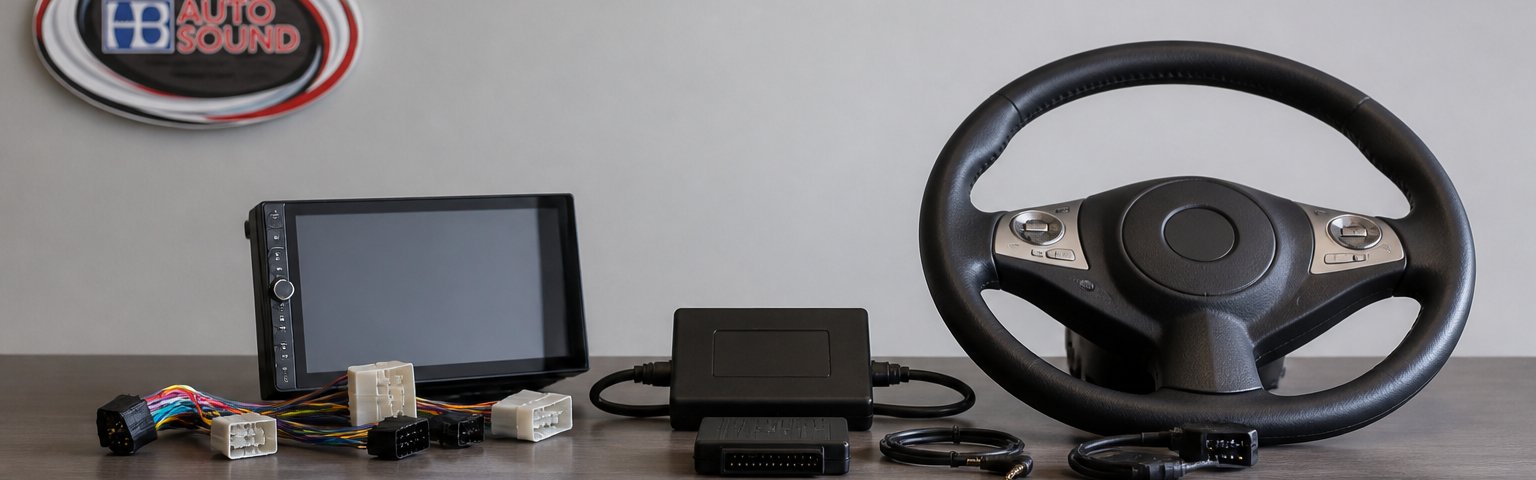
Table of Contents
- Why Steering Wheel Controls Matter in a Stereo Upgrade
- How Steering Wheel Control Adapters Work With Aftermarket Head Units
- Checking Aftermarket Head Unit Compatibility With Steering Wheel Controls
- Understanding Your Vehicle's Wiring Harness and Factory Amplifier
- Upgrading Car Speakers Without Replacing Your Head Unit
- Step-by-Step Installation: Connecting Your Interface and Wiring
- Troubleshooting Common Issues After Installation
- Getting Professional Help With Your Stereo Upgrade
- Frequently Asked Questions
Last Updated: October 25, 2026
Why Steering Wheel Controls Matter in a Stereo Upgrade
Keeping your factory steering wheel controls when you upgrade to an aftermarket stereo with steering wheel controls aftermarket stereo compatibility is about more than convenience. It's about safety and usability.
Many car owners assume they have to lose these controls when they swap out the factory head unit. That's not true.
The challenge is that factory steering wheel controls send signals through your vehicle's wiring in a way that standard aftermarket stereos don't automatically understand. Your new head unit needs a translator.
How Steering Wheel Control Adapters Work With Aftermarket Head Units
A steering-wheel control adapter is a small interface module that sits between your factory wiring harness and your new head unit.
Here's the basic flow:
- You press a button on your steering wheel
- The factory wiring harness sends a signal to the interface module
- The module translates that signal
- Your aftermarket head unit receives the command and responds
The interface module plugs into your vehicle's existing wiring harness. No cutting or splicing required. It's a clean, reversible connection.
Different vehicles use different wiring standards. Your 2015 Honda sends signals differently than a 2020 Ford. That's why you need a vehicle-specific harness adapter, not a universal one. The right adapter knows exactly how your car communicates.
Checking Aftermarket Head Unit Compatibility With Steering Wheel Controls
Compatibility is where most steering-wheel-control upgrades succeed or fail before a single panel is removed. The top-ranking results scatter this information across vehicle-specific forum threads, so use this vehicle-first checklist to identify the right parts before you buy.
The Vehicle-First Compatibility Checklist
Work through these items in order. Each one narrows the parts you need.
- Year, make, model, and trim. Trim matters. A base trim and a premium trim of the same model year can use different factory radios, different amplifiers, and different steering-wheel button sets. Write down the VIN and confirm the trim level.
- Factory radio type. Identify whether the factory unit is a base radio, a premium branded system, or a navigation/display unit. Premium and navigation radios often route audio and control signals through a separate module, which changes the adapter you need.
- Factory amplifier present? Check for a factory amplifier in the trunk, under a seat, or behind a side panel. If one exists, your interface must communicate with it or you must plan to bypass it.
- Connector shape and pin count. Photograph the back of the factory radio and the factory harness connectors. Connector shape and pin count are the fastest way to confirm a vehicle-specific harness will fit.
- Steering-wheel button layout. Note every button: volume, track, source, phone, voice, and any customizable or cluster-menu buttons. Some adapters support only a subset of buttons.
- Other integrated features. List backup camera, parking sensors, chimes, climate displays, and USB/AUX ports. Each feature may need to be retained by the interface or a separate adapter.
- Aftermarket head unit input. Confirm the new head unit has a dedicated steering-wheel control input (a wire, a 3.5mm jack, or a data-bus connection). Most modern units do, but verify on the back panel or in the manual.
Matching the Interface Type to Your Vehicle
There are three common paths, and the right one depends on the checklist above.
- Vehicle-specific harness with built-in steering control. Best when your vehicle is well supported and you want a clean, mostly plug-and-play install. The harness carries power, speakers, and steering-control wires in one connector.
- Programmable interface module. Best when you want to assign buttons yourself or when the vehicle uses a data-bus signal that a simple harness cannot translate. These modules learn button signals and map them to head-unit commands.
- Separate steering-control adapter plus a basic harness. Best when a full vehicle-specific solution is unavailable or when you are keeping the factory amplifier and need a dedicated amplifier interface alongside the control adapter.
Bring your VIN, photos of the factory radio connectors, and the model number of your intended head unit when you shop. A specialist can confirm the correct interface and harness combination before you commit, which avoids the most common return-and-reinstall cycle.
Verifying Compatibility Before You Buy
Do not rely on a product title alone. Confirm the adapter lists your exact year, make, model, and trim, and that it names your head unit brand or confirms a programmable input. If the listing is vague, ask the seller to confirm the connector pin count and whether the factory amplifier and backup camera are retained. A five-minute verification prevents a weekend of troubleshooting.
Use this checklist to identify the right interface and harness before you buy any parts.
| Compatibility Item | What to Check | Why It Matters |
|---|---|---|
| Year, make, model, trim | Confirm VIN and trim level | Different trims use different radios and amplifiers |
| Factory radio type | Base, premium branded, or navigation unit | Premium and navigation radios route signals differently |
| Factory amplifier | Check trunk, under seat, or behind panel | Interface must communicate with it or bypass it |
| Connector shape and pin count | Photograph factory radio and harness connectors | Confirms vehicle-specific harness will fit |
| Steering wheel button layout | Note volume, track, source, phone, voice buttons | Some adapters support only a subset of buttons |
| Integrated features | Backup camera, parking sensors, USB, climate display | Each feature may need separate adapter or retention |
| Head unit control input | Verify dedicated steering control wire or jack | Most modern units have this, but confirm in manual |
Understanding Your Vehicle's Wiring Harness and Factory Amplifier
Your vehicle's wiring harness is the nervous system of your audio system. It carries power, ground, and control signals from the factory stereo to your speakers and any integrated features like steering wheel controls.
Vehicle-Specific Harness Adapters
The factory harness has a unique connector shape and pin layout for your vehicle. A universal harness won't fit.
The adapter also includes the steering-wheel control wires. When you plug it in, those wires connect to your interface module.
Installation is straightforward: disconnect the factory stereo, connect the vehicle-specific harness to your new head unit, and plug in the interface module.
Factory Amplifiers and Control Integration
Some vehicles have a factory amplifier built into the system. This amplifier powers the speakers directly. If your car has one, your new head unit needs to communicate with it.
An interface module handles this communication. It tells the factory amplifier when to turn on and off.
If you remove the factory amplifier entirely, you lose this integration. Your new head unit becomes the sole power source. This works fine if you're upgrading speakers and adding an aftermarket amplifier.
Upgrading Car Speakers Without Replacing Your Head Unit
You don't have to replace your factory head unit to upgrade your audio. Many people upgrade speakers first.
When you keep the factory head unit, you keep all its integrated features. Steering wheel controls work automatically. Backup cameras stay connected.
The tradeoff is that you're limited to the head unit's power output. Factory units typically produce 10-15 watts per channel.
Custom Car Audio: A Complete Upgrade Guide(page:2) covers comprehensive audio upgrades beyond just the head unit and steering wheel controls.
Step-by-Step Installation: Connecting Your Interface and Wiring
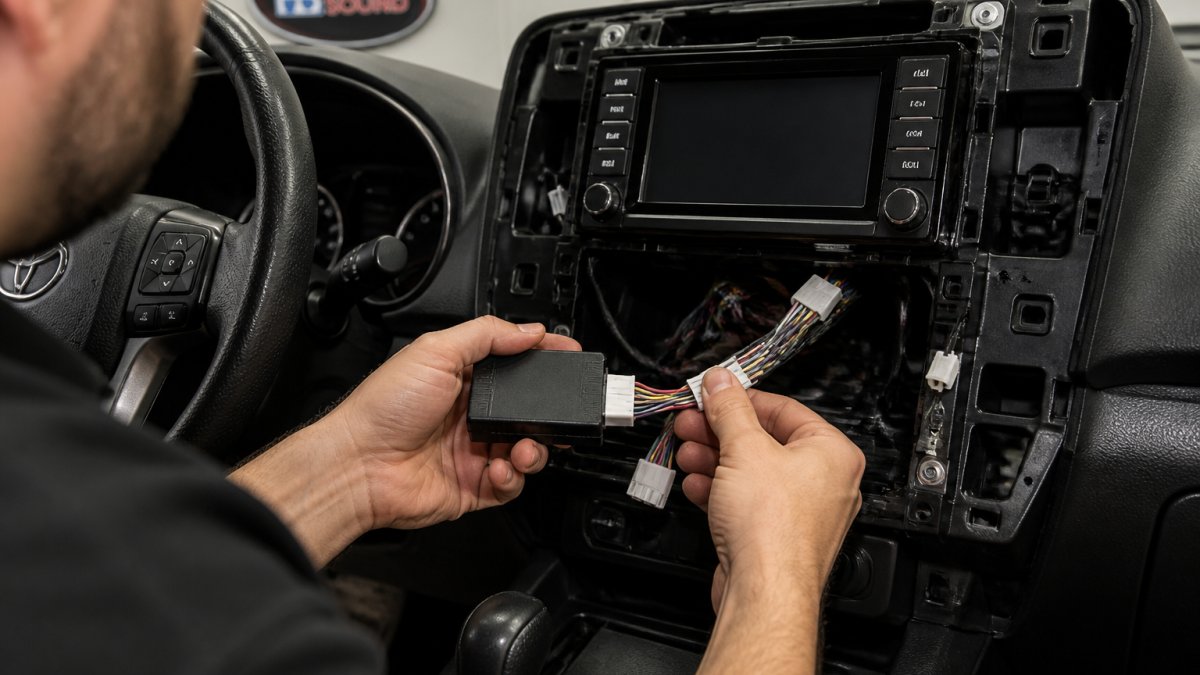
Installing an interface module for steering wheel controls is manageable if you're comfortable with basic car electronics. If not, professional installation is worth the investment.
Gathering Your Tools and Components
Before you start, collect everything you need:
- Interface module (vehicle and head unit specific)
- Vehicle-specific harness adapter
- Your new aftermarket head unit
- Basic hand tools (screwdrivers, panel removal tools)
- Wire strippers and crimpers
- Electrical tape
- Multimeter (optional but helpful)
Double-check that your interface module matches your vehicle's year, make, and model. Verify it's compatible with your specific head unit brand.
Removing the Factory Stereo
Disconnect the negative battery terminal first. This prevents electrical shorts.
Remove the dashboard trim around the stereo. Most vehicles have clips or screws holding trim panels in place.
Unbolt the factory head unit from the mounting bracket. Carefully pull it out and disconnect the power, ground, and speaker wires. Note which wire goes where, or take a photo.
Disconnect the steering wheel control wire from the factory stereo. This is usually a small connector labeled "SWC" or "steering control."
Connecting the Interface Module and Control Wires
Install your new head unit in the mounting bracket. Don't secure it permanently yet.
Plug the vehicle-specific harness adapter into the back of your new head unit. This adapter replaces the factory connections.
Connect the factory wiring harness to the other end of the vehicle-specific harness adapter.
Locate the steering wheel control wire from your factory harness. Connect it to the input on your interface module.
Connect the interface module's output to your head unit's steering control input.
Reconnect the negative battery terminal.
Programming and Testing Your Controls
Power on your head unit. Most interface modules are plug-and-play, but some require basic programming.
Check your module's manual for programming steps. Usually you press a button on the module to enter learning mode, then press each steering wheel button in sequence.
Test each control:
- Volume up and down
- Track forward and back
- Menu or source buttons
- Any custom buttons on your steering wheel
If a button doesn't respond, power off and reprogram that specific button. If multiple buttons fail, double-check your wiring connections.
Once all controls work, secure your head unit to the mounting bracket. Reinstall dashboard trim and test again. Movement sometimes loosens connections.
Troubleshooting Common Issues After Installation
Most steering wheel control problems stem from loose connections or incorrect wiring.
No steering wheel controls at all: Check that the interface module is powered.
Some buttons work, others don't: One button may be wired differently than others. Reprogram that specific button.
Controls work intermittently: Loose connections cause intermittent issues. Wiggle each connector and look for corrosion. Reseat all plugs firmly.
Head unit won't turn on: Verify power and ground connections to the vehicle-specific harness.
Getting Professional Help With Your Stereo Upgrade
DIY installation works for some people. But if you're unsure about any step, professional installation is the safer choice.
Professional installers have the right tools and experience to get it right the first time. They verify compatibility before starting.
At HB Auto Sound OC, we specialize in aftermarket stereo installations that preserve factory steering wheel controls.
We also handle the entire upgrade if you want new speakers, amplifiers, or a complete custom build.
Frequently Asked Questions
Can I keep my steering wheel controls when installing an aftermarket stereo?
Yes, in most cases. An interface module or steering wheel control adapter bridges your factory control buttons to the new aftermarket head unit. The adapter reads your vehicle's factory control signals and translates them for the new stereo. Compatibility depends on your vehicle's make, model, and year, as well as the head unit you choose. Professional installers can verify compatibility before you commit to the upgrade.
What is a steering wheel control adapter for an aftermarket stereo?
A steering wheel control adapter is an interface module that connects your factory steering wheel buttons to an aftermarket head unit. It intercepts the control signals from your vehicle's wiring harness and converts them into commands the new stereo understands. Different adapters work with different vehicle platforms and stereo brands, so selecting the right one for your specific vehicle and head unit is essential for full functionality.
Will upgrading my car audio system affect my backup camera or other factory features?
Not necessarily. A properly installed aftermarket stereo with the correct wiring harness and interface modules can retain factory features like backup cameras, steering wheel controls, and other integrated systems. However, this requires careful planning during installation. Your installer needs to map all factory connectors and ensure the new head unit supports video input from your backup camera and other factory systems.
Can I upgrade my car speakers without replacing the factory stereo?
Yes. You can upgrade to better speakers while keeping your factory head unit intact. This approach avoids the complexity of steering wheel control integration and factory feature compatibility. You'll replace the existing speakers with higher-quality aftermarket options and may add an external amplifier to power them. This solution works well if your factory stereo's features and interface suit your needs, but you want improved sound quality.
Upgrading your car's audio system doesn't mean losing the steering wheel controls you rely on. With the right interface module and proper installation, you keep all factory functionality while enjoying better sound. If you're ready to upgrade, get a free quote from HB Auto Sound OC and let our team handle the details.

Ready to Upgrade Your Ride?
Call us at (714) 842-1250 or visit us at 16732 Beach Blvd Ste A, Huntington Beach.
Get a Free Quote